Building a 2MB Native Windows App with Cursor and Context-Driven AI

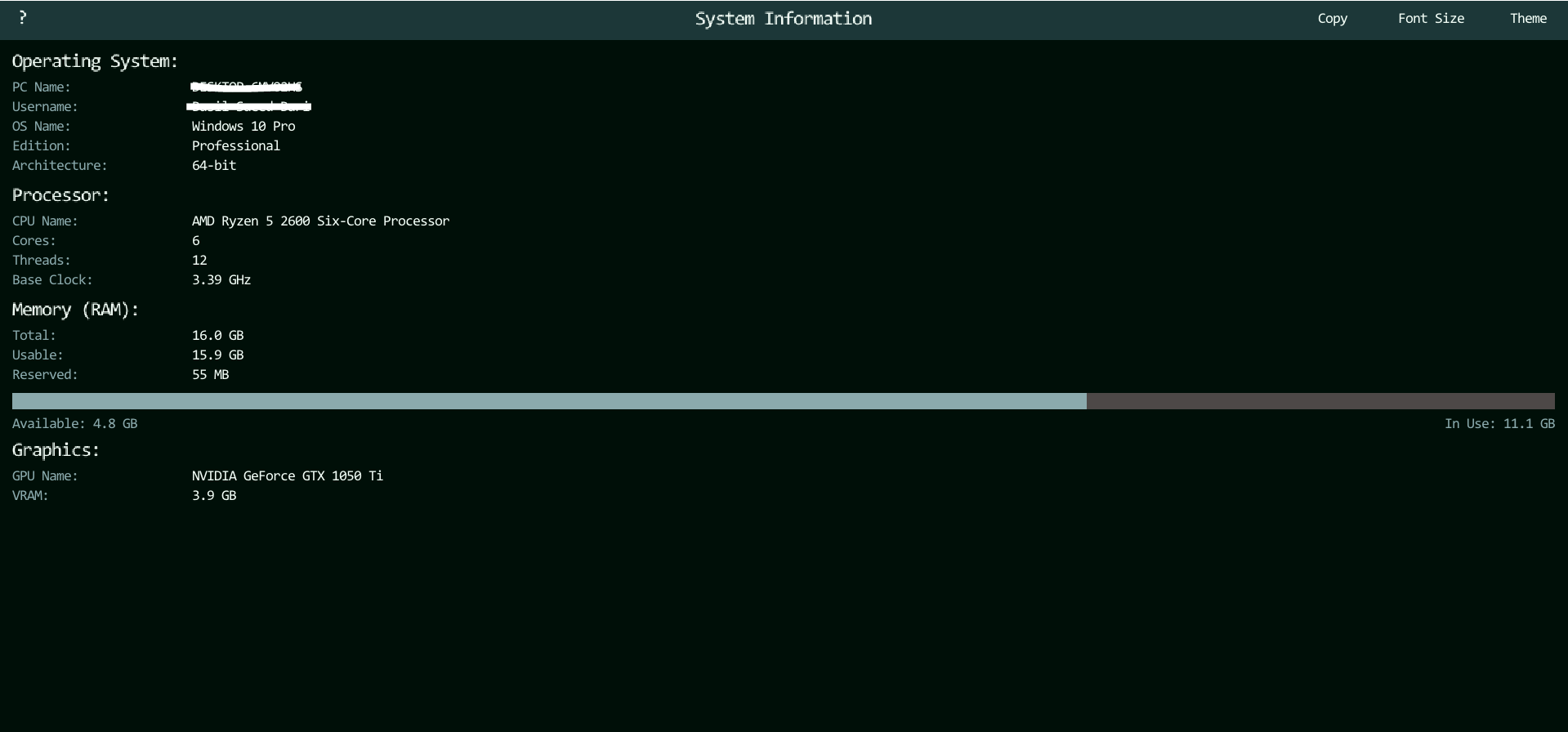
I recently set out to build OdinRigView . It is a minimal, native Windows desktop utility designed for reading and sharing PC hardware specs. My goal was to create a clean reimplementation of the C#/.NET-based PC-Info app, stripped of framework overhead. I wanted no .NET runtime, no installer, and just a single .exe file.
To achieve this, I used the Odin programming language and the Cursor IDE . However, instead of just asking the AI to "build an app," I engineered a highly structured context framework using four specific Markdown files. This approach kept the AI focused, resulting in a fast, data-oriented application that weighs in at less than 2MB.
Here is a breakdown of how I used structured context to guide the AI.
The Context Framework: Four Pillars of Control
When working with LLMs on a full codebase, context window pollution and hallucinated abstractions are the biggest enemies. To prevent the AI from generating bloated, object-oriented spaghetti code, I fed it four foundational documents.
1. The Persona (agent.md)
I didn't just want code; I wanted code written with a specific philosophy. This file defined the AI's identity.
- The AI was instructed to act as a professional systems programmer specializing in Odin.
- It was commanded to be a minimalist by conviction, reaching for the standard library first and only adding dependencies when absolutely necessary.
- The prompt enforced a data-oriented thinking style, requiring flat structs and explicit data transformations rather than object-oriented abstractions.
- I established strict programming style rules, such as always declaring types explicitly and avoiding Odin's implicit
:=for variable declarations. - The AI was required to isolate all Windows-specific syscalls into a dedicated file named
sys_windows.odin.
2. The Visual Rules (design.md)
UI code can quickly become a mess of hardcoded magic numbers. I constrained the AI's design choices strictly.
- The application was restricted to a strict 5-color palette: Onyx, Jet Black, Charcoal, Mint Cream, and Cool Steel.
- The AI was provided with exact semantic mappings for Dark and Light themes.
- The layout structure was explicitly defined, detailing a 48px fixed-height top bar and a side drawer occupying 60% of the window width.
- Typography hierarchies were established with specific font sizes (Small, Medium, Large).
3. The Knowledge Base (memory.md)
AI models can hallucinate APIs, especially for niche languages like Odin. This document acted as the AI's technical reference.
- It contained direct links to official Odin documentation and package references.
- It provided specific usage notes for packages like
core:sys/info,core:sys/windows, andvendor:directx. - The file documented known pitfalls, such as Odin strings not being null-terminated by default, requiring
strings.clone_to_cstring()for C APIs. - It defined the exact project file structure and the core data structs, ensuring the AI understood the architectural boundaries.
4. The Blueprint (requirements.md)
This document outlined exactly what the app needed to do, leaving no room for feature creep.
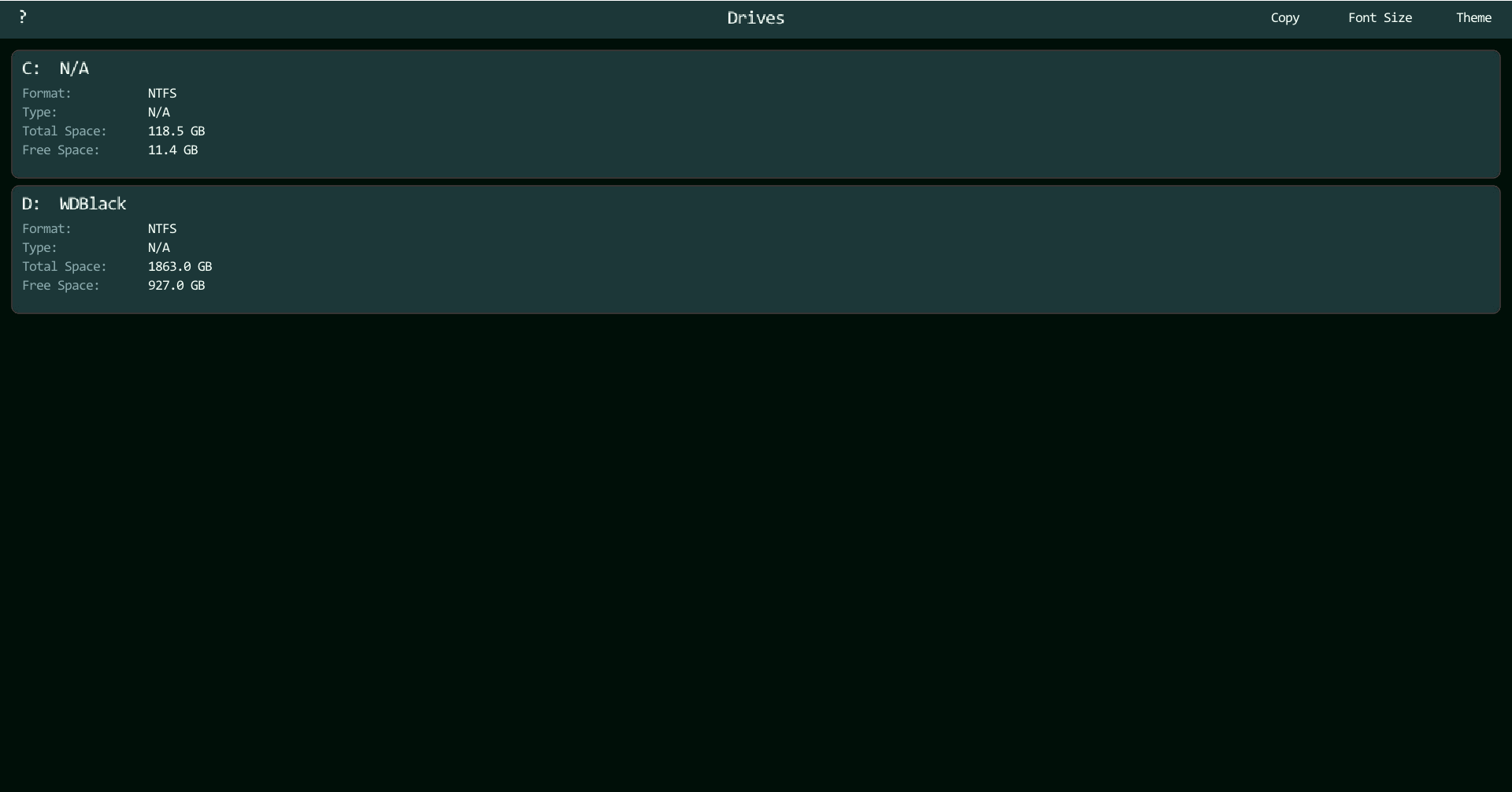
- It specified the exact data to collect: OS information, CPU details, RAM usage, GPU specifications, and storage drive metrics.
- The requirements mandated that the RAM available, RAM in use, and RAM usage percentage must refresh every 1 second.
- It detailed the functionality of four core action buttons: a copy to clipboard feature, a screenshot tool, a font size toggle, and a theme toggle.
- The document explicitly stated out-of-scope features for v1.0, such as Linux/macOS support and temperature monitoring, to keep the AI focused on the immediate goals.
The Result: OdinRigView
By front-loading the architecture, design, and philosophy into these Markdown files, Cursor functioned less like a predictive text generator and more like a disciplined junior developer following a strict spec.
The resulting application is entirely self-contained. It utilizes vendor:raylib for window rendering, vendor:microui for the immediate-mode UI, and core:sys/windows alongside vendor:directx for hardware queries. There are no external dependencies beyond what ships with the Odin compiler, and Raylib is statically linked.
The final compiled .exe is tiny, lighting fast, and does exactly what it needs to do: give PC sellers a fast, readable summary of their specs to copy and paste into a marketplace listing.
If you want to try it out or look at the code, you can check out the repository here: OdinRigView on GitHub.
Preview of the app:
Tags
odin odin-lang windows raylib system-info desktop-app pc-specs hardware-info minimal data-oriented