My journey with Docker and CloudLab-ing

Building a 9-Stack Digital Sanctuary and LMS from the Ground Up
Two months. One server. Nine applications. And a series of technical hurdles that felt like a boss fight at every level.
For the past 60 days, I’ve been on a mission to build a comprehensive Learning Management System (LMS) for my students, but with a twist: it had to live alongside my entire digital life, and it had to be as cheap as humanly possible. What started as a simple Moodle install turned into a full-scale "CloudLab" architecture.
This is the long-form breakdown of the thinking, the code, the failures, and the eventual triumph of my self-hosted environment.
1. The Blueprint: Why Self-Host?
The "modern" internet is a series of monthly subscriptions. Google Drive for files, Coursera for learning, various VPN providers for privacy. I wanted to reclaim that territory. My goals were specific:
- Student Hub: A place where I could host lectures, quizzes, and tracking.
- Knowledge Base: A Markdown-first environment for writing.
- Data Sovereignty: My own cloud storage and digital library.
- Network Privacy: A self-managed VPN to secure my connections.
I chose Hostinger as the foundation. Not because they paid me (they didn’t), but because when you’re building a complex multi-stack environment on a budget, you need two things: affordable RAM and a support team that doesn't ghost you when things get technical.
2. The Core Technology: Docker and Portainer
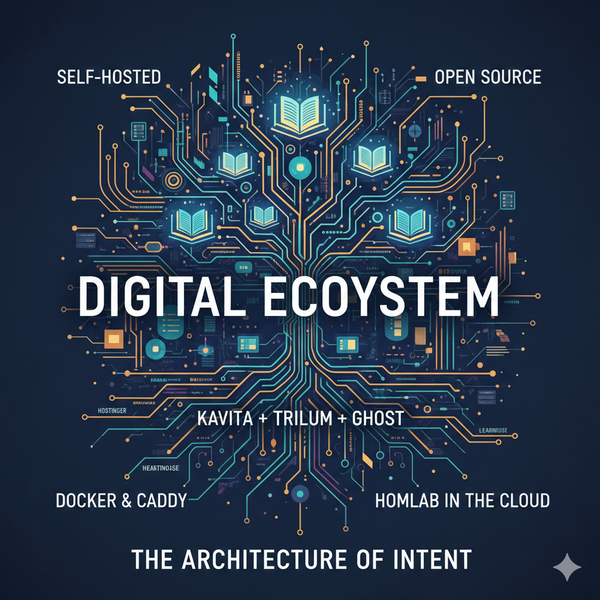
I decided to go "Maximalist" with Docker. The architecture is a single Ubuntu Server running Portainer, which allows me to manage "Stacks" (Docker Compose files) through a beautiful web interface.
The Stack Inventory:
- Caddy: The "Bouncer." A reverse proxy that handles SSL automatically.
- Nextcloud: The "Vault." Replaced Google Drive for all my student files.
- Ghost: The "Stage." My personal website at
home.basilsaeedbari.com. - Kavita: The "Library." My entire digital book collection.
- Eturnal: The "Tunnel." Audio/Video relaying.
- WG-Easy: The "Guard." A WireGuard VPN setup that makes my VPS my secure gateway.
- Trilium: The "Brain." Where I write all my lectures in Markdown.
3. The LMS Roulette: Navigating the "Moodle Moment"
The biggest struggle was the LMS itself. I went through three major shifts in thinking:
Failure 1: The Moodle Red Flag
I started with Moodle, the industry giant. But as I pulled the images, I realized the community-standard Bitnami images were moving toward a proprietary, trademarked model. In the spirit of true open-source self-hosting, this was an instant deal-breaker.
Failure 2: The Artemis Bug-Hunt
Next, I tried Artemis. It’s beautiful and tailored for computer science students. I spent 4 hours in the logs. Artemis is incredibly strict; it uses a "fail-fast" logic where if a single module (like Exam Access or biometric passkeys) isn't configured perfectly, the whole Java bean factory crashes. It was too heavy and too buggy for a lean 16GB VPS.
The Winner: LearnHouse
I pivoted to LearnHouse Community Edition. It’s pragmatic. It has a Coursera-like flow—clean, block-based, and modern. Crucially, they recently released a monolith Docker image that fits perfectly into a Portainer stack.
4. The Technical Deep-Dive: Deploying LearnHouse
Deployment wasn't just "plug and play." I hit two major technical walls: Internal Port Conflicts and Database Host Resolution.
The Port 8000 Conflict
LearnHouse runs a monolith container. Inside, it uses PM2 to manage a Next.js frontend and a FastAPI backend. By default, both were trying to bind to port 8000. The result? A constant crash loop.
The Fix: Port Isolation
I had to force the API to move to port 8001 while keeping the Web UI on 8000, then tell Caddy exactly where to look.
The Final docker-compose.yml (The Master Template)
Here is the sanitized version of the working stack:
YAML
version: "3.9"
services:
  learnhouse-app:
    image: ghcr.io/learnhouse/app:latest
    container_name: learnhouse-app
    restart: unless-stopped
    env_file:
      - stack.env
    environment:
      - HOSTNAME=0.0.0.0
      - PORT=8000           # Forcing Web to 8000
      - LEARNHOUSE_PORT=8001 # Forcing API to 8001
    depends_on:
      learnhouse-db: { condition: service_healthy }
      learnhouse-redis: { condition: service_healthy }
    networks:
      - proxy-net
    labels:
      caddy: learn.yourdomainname.com
      caddy.reverse_proxy: "{{upstreams 8000}}"
      caddy.reverse_proxy.header_up: "X-Forwarded-Proto {scheme}"
    user: root # Required for internal Nginx binding

  learnhouse-db:
    image: postgres:16-alpine
    container_name: learnhouse-db
    environment:
      - POSTGRES_USER=username
      - POSTGRES_PASSWORD=your_password
      - POSTGRES_DB=learnhouse
    volumes:
      - learnhouse_db_data:/var/lib/postgresql/data
    networks:
      - proxy-net
    healthcheck:
      test: ["CMD-SHELL", "pg_isready -U username -d learnhouse"]
      interval: 5s

  learnhouse-redis:
    image: redis:7.2.3-alpine
    container_name: learnhouse-redis
    networks:
      - proxy-net
    healthcheck:
      test: ["CMD", "redis-cli", "ping"]
      interval: 5s

networks:
  proxy-net:
    external: true

volumes:
  learnhouse_db_data:
The Secret Sauce: stack.env
The most common mistake is using localhost for database URLs. In Docker, localhost means inside the current container. You must use the service name:
Bash
LEARNHOUSE_DOMAIN=learn.yourdomain-name.com
HTTP_PORT=80 # THIS HAS TO BE 80 AS THE DOCKERFILE LIMITS IT
NEXT_PUBLIC_LEARNHOUSE_API_URL=https://learn.yourdomain-name.com/api/v1/
NEXT_PUBLIC_LEARNHOUSE_BACKEND_URL=https://learn.yourdomain-name.com/
NEXT_PUBLIC_LEARNHOUSE_DOMAIN=learn.yourdomain-name.com
NEXT_PUBLIC_LEARNHOUSE_TOP_DOMAIN=learn.yourdomain-name.com
NEXT_PUBLIC_LEARNHOUSE_MULTI_ORG=False
NEXT_PUBLIC_LEARNHOUSE_DEFAULT_ORG=default
NEXT_PUBLIC_LEARNHOUSE_HTTP=True # As Caddy is handling the SSL
NEXTAUTH_URL=https://learn.yourdomain-name.com
LEARNHOUSE_COOKIE_DOMAIN=.yourdomain-name.com
TRUST_PROXY=true #Required as Im using caddy, and internally it is using ngnix
5. The Geopolitical Plot Twist: Cloudflare vs. Pakistan
The site was live. I went to sleep triumphant. I woke up... locked out.
The server was fine. My friends in other regions could see it. But I couldn't. The issue? Geopolitics. Cloudflare, which I used for DNS, was seeing massive DDoS attacks from the subcontinent. Their solution was to trigger an aggressive block on IP ranges from Pakistan. I was literally banned from my own server.
The Hostinger Rescue
I spent 3 hours on the line with Hostinger support. We traced the failure points from my ISP in Pakistan all the way to the server in Europe. They didn't just give me a canned response; they engaged their network team.
The solution: We bypassed the Cloudflare DNS dependency at the OS level and forced my VPS to use OpenDNS (Cisco). This ensured that my local connection—and more importantly, the connections of my Pakistani students—would remain stable and unblocked.
6. The Result: A Living CloudLab
Today, I have a fully functioning ecosystem.
- Students log into
learn.basilsaeedbari.com. - My blog lives at
home.basilsaeedbari.com. - My library, notes, and private files are all accessible from any device I own.
Lessons Learned:
- Isolate Early: If your logs show
Address already in use, don't trust the app's default ports. Force them manually in your environment variables. - Infrastructure Matters: A cheap VPS is great, but a budget VPS with good support is priceless.
- Docker is Freedom: Being able to spin down a buggy LMS (Artemis) and spin up a working one (LearnHouse) in minutes is why Docker is the superior way to host.
Sometimes you don't need the perfect, most expensive tool. You need the pragmatic tool that works, a bit of persistence, and a provider that actually cares about your uptime.
Welcome to my CloudLab. 🚀
Check out the LMS: learn.basilsaeedbari.com
Check out the Blog: home.basilsaeedbari.com